Projects/Design
MOHU
MOHU turns the photos on your phone into soft brush stroke pictures and sends them to a color e paper frame on the wall, with no account and no cloud.
- Role
- Concept, UI design, development, frame firmware, promo video
- Period
- 2026.09 to now
- Platform
- iOS app and e paper photo frame
- Status
- Testing
01Context
Thousands of photos sit on our phones and are rarely opened again. A digital frame brings them back, but a sharp, glowing photo on the wall reads as a screen.
02Decisions
- 01
A sharp photo on the wall looks like a screen.
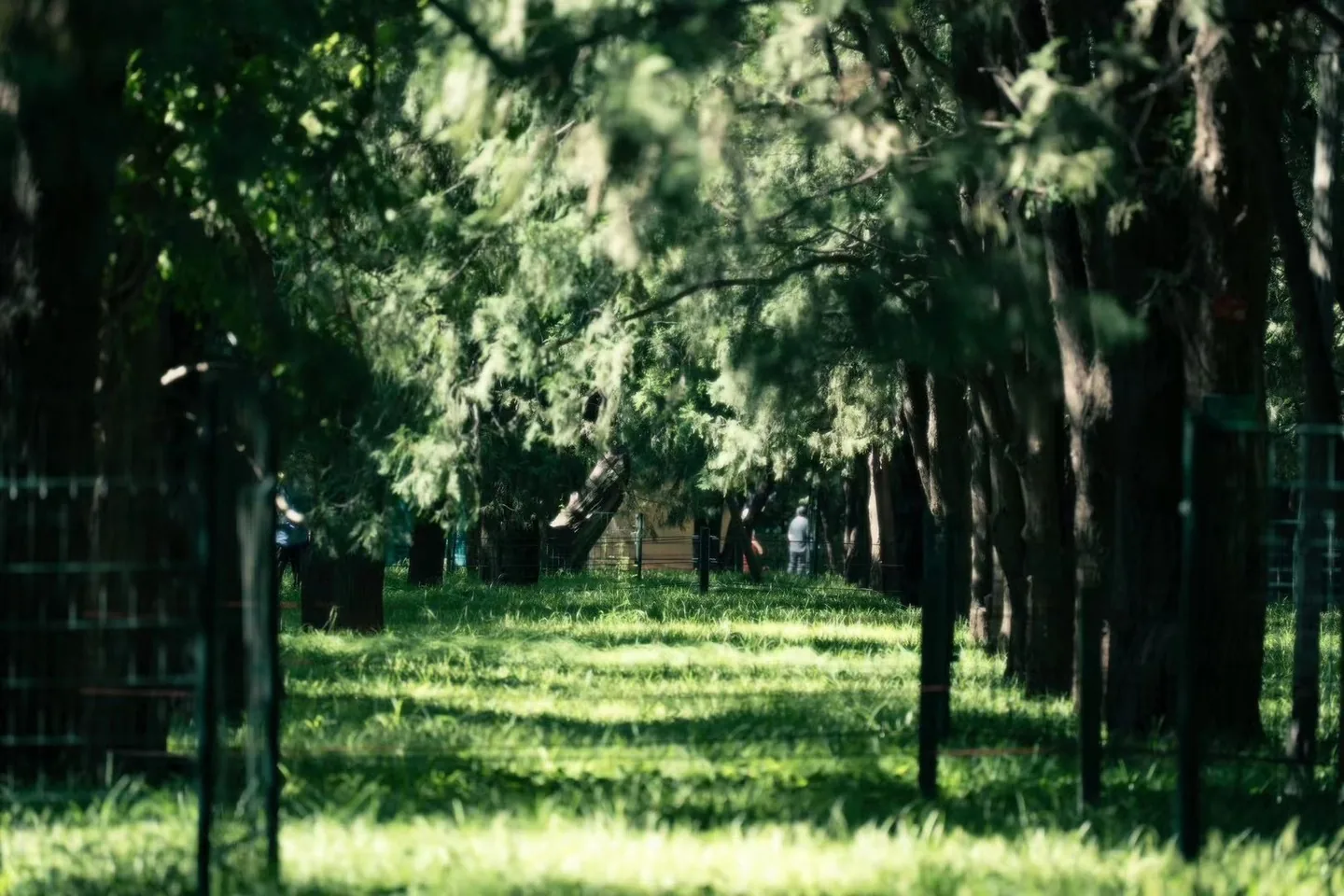
Photos are painted on the phone in brush strokes, at three strengths. From across the room it reads as a picture; up close you still recognise it.
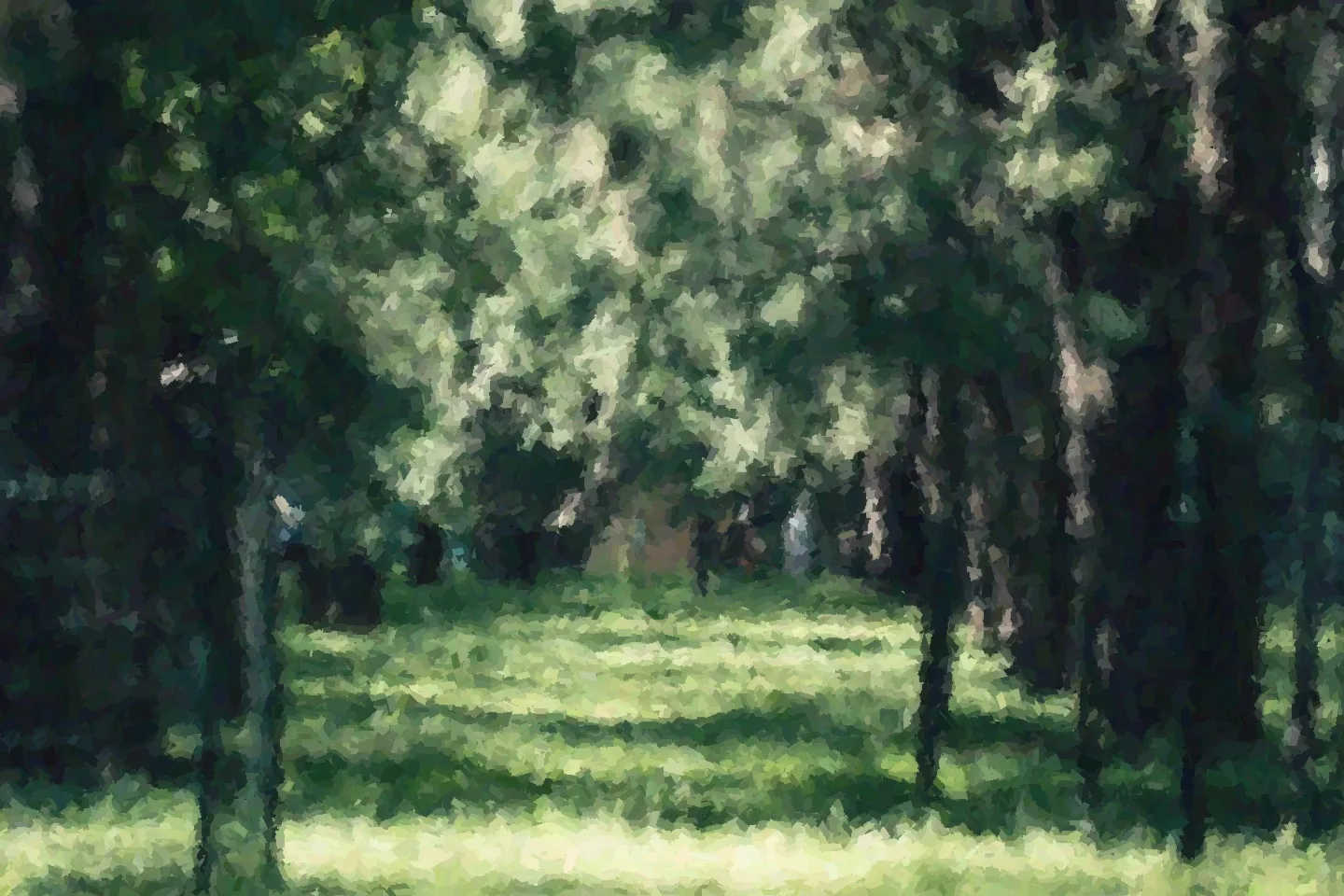 OriginalBrush strokes
- 02
Uploading to a cloud needs an account.
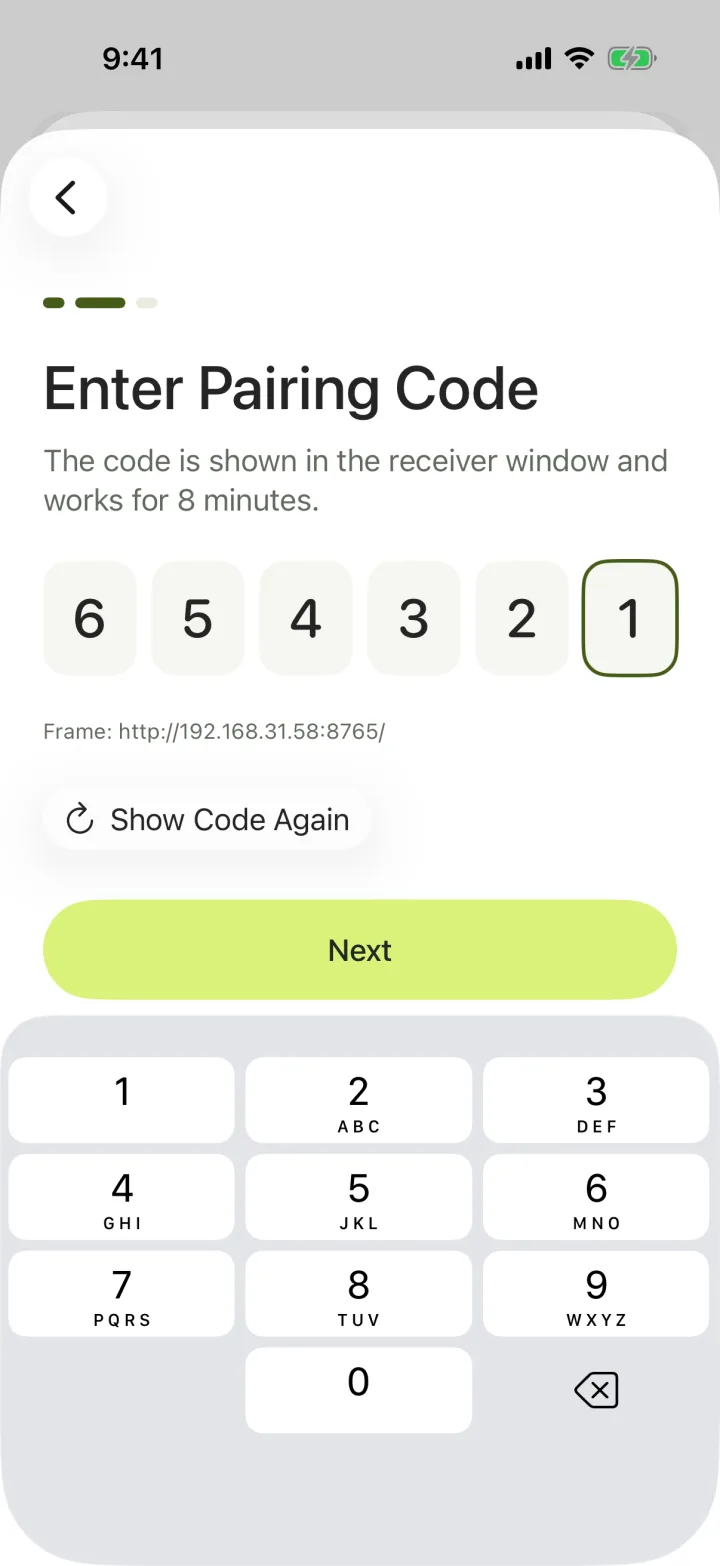
The phone pairs with the frame using a six digit code shown on the frame, then sends pictures directly over the home WiFi.
- 03
Changing the picture should not mean taking out the phone.
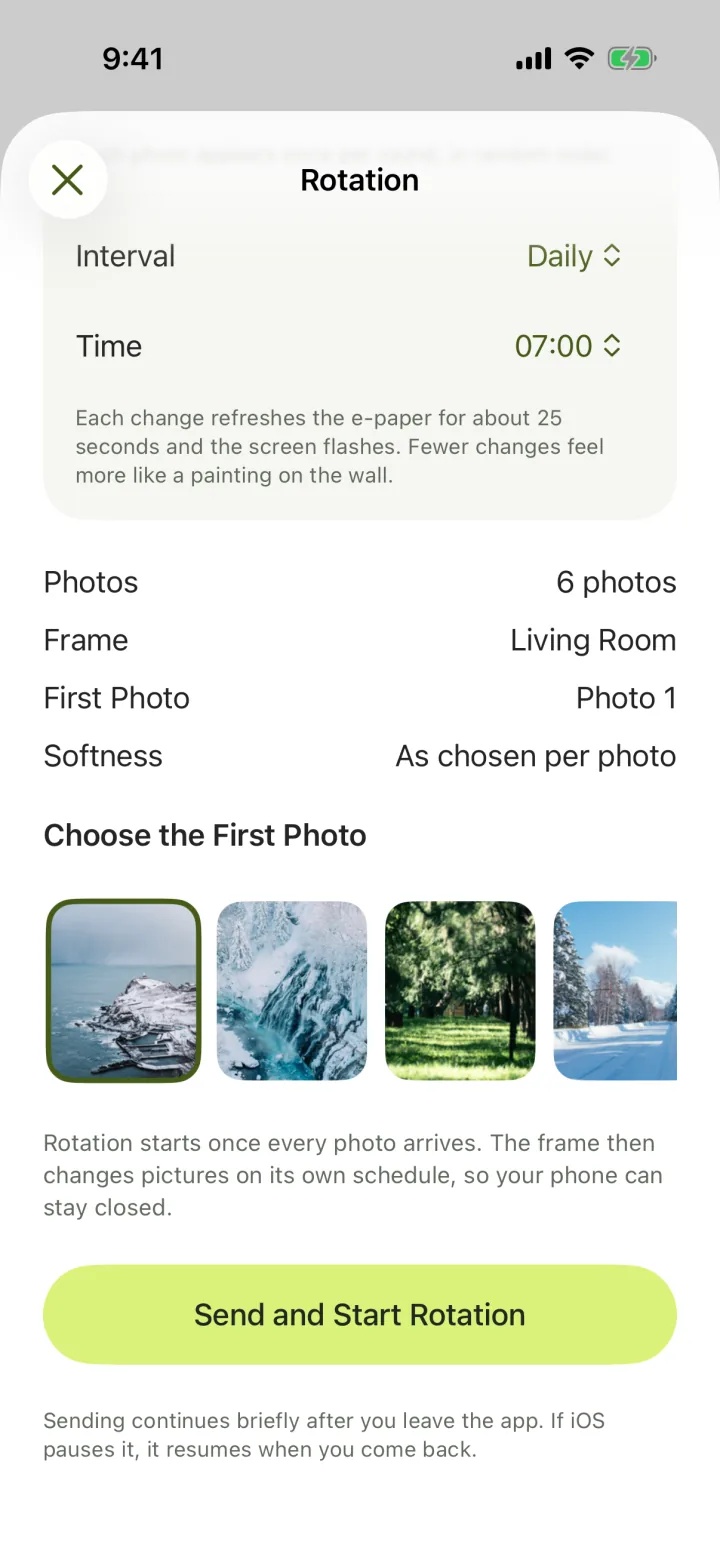
The frame changes pictures on its own schedule, hourly, every 3 hours, daily or weekly, so the phone can stay in a pocket.
03In use
04Outcome
- In TestFlight testing; sending from the phone to the frame works on the real 7.3 inch color e paper panel.
- The frame firmware builds on the open source esp32-photoframe project instead of starting from scratch.