FIG_002.6
01Context
I read most papers with a translation layer, but Chrome will not translate a PDF. Extracting the text breaks lines, splits words, and collapses ligatures into typos.
02Decisions
- 01
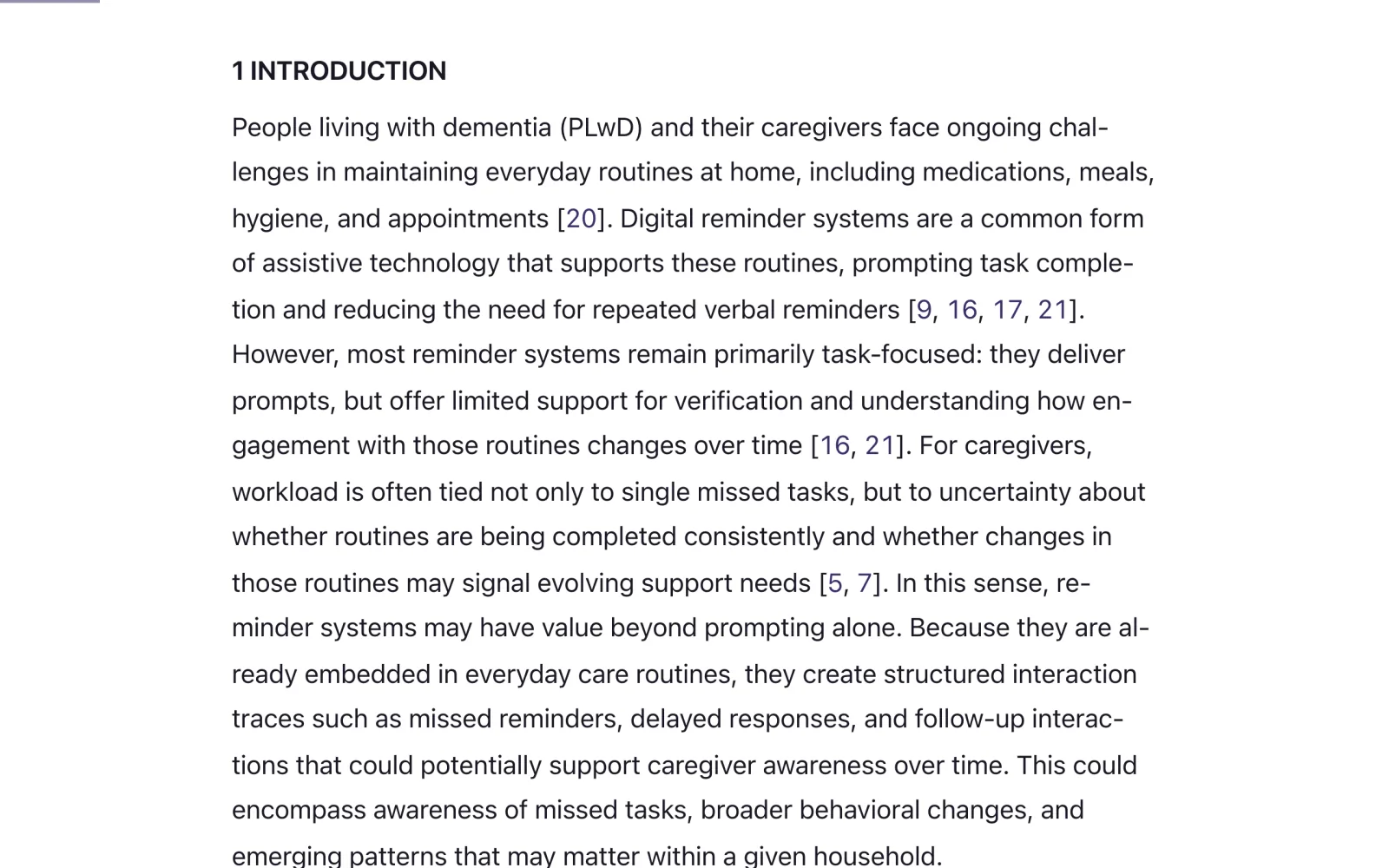
Extracted text comes out as page fragments and broken words.
Layout aware extraction rejoins hyphenated line breaks and repairs ligatures, so ofine becomes offline again, in one continuous document.
 PDFPaperDesk
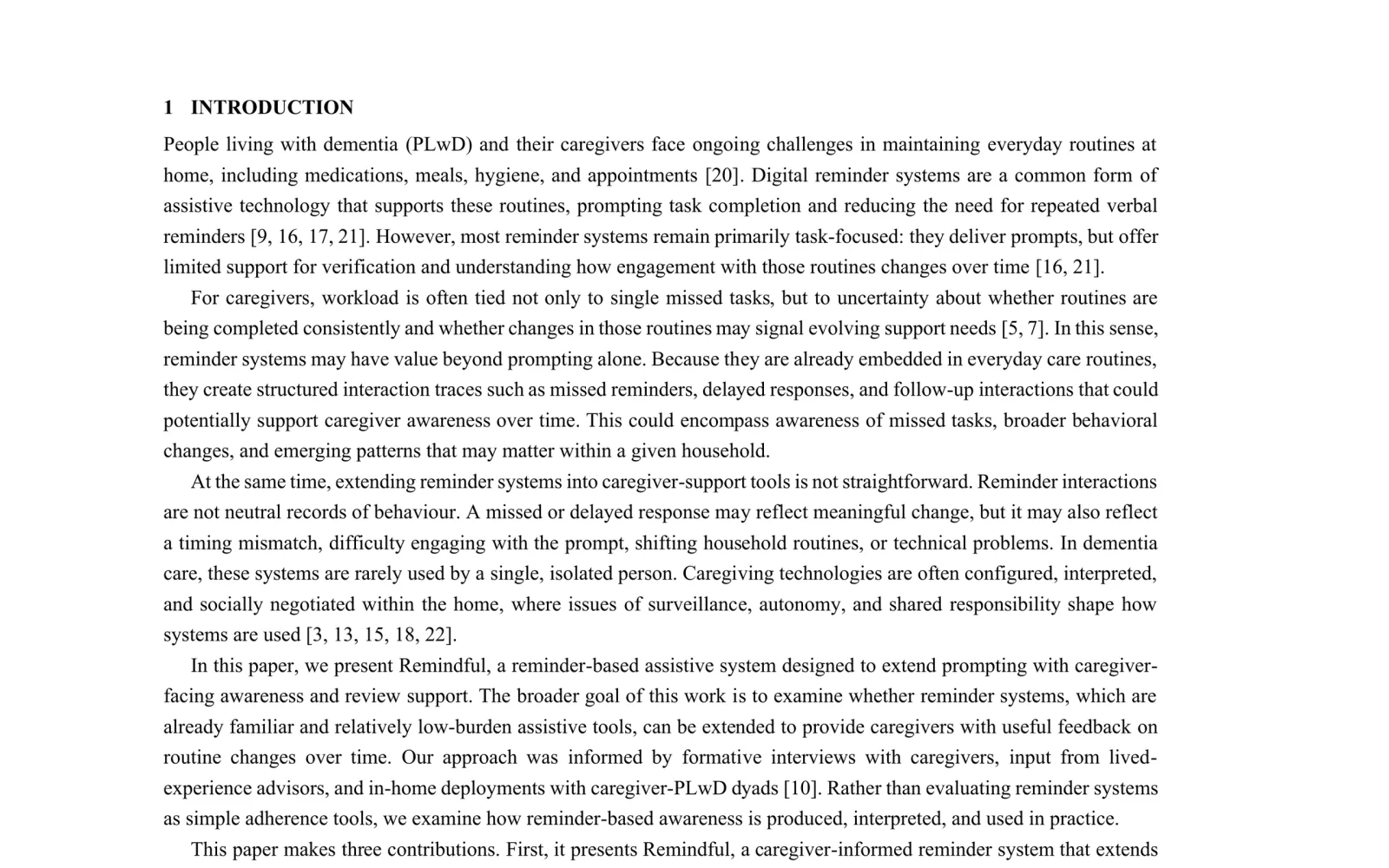
Lai and Mihailidis, Remindful, arXiv 2604.19574, CC BY 4.0. - 02
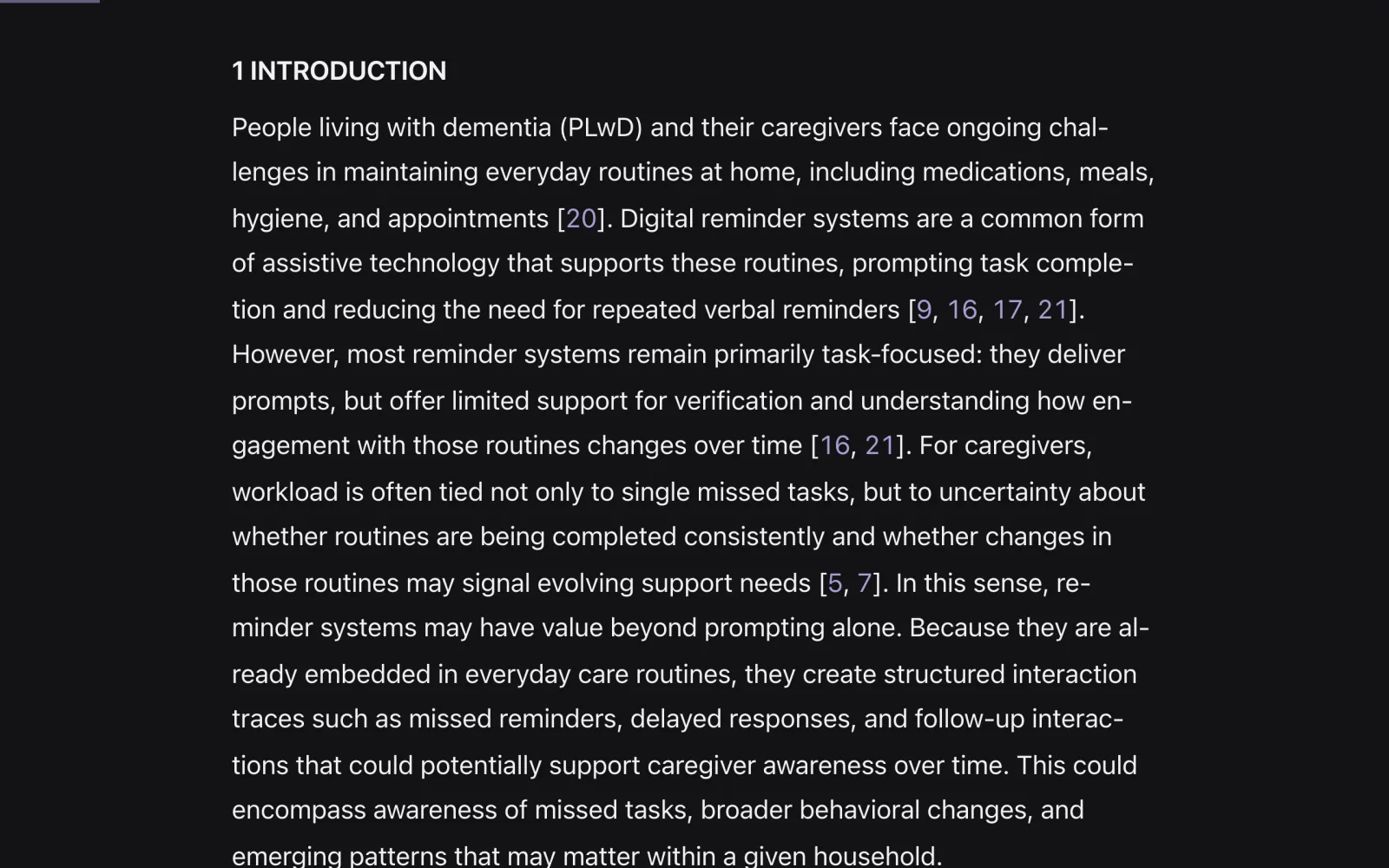
The browser translator only runs on web pages.
Each reading copy is served on a stable 127.0.0.1 port, so Chrome translates it like any site and bookmarks keep working.
- 03
Paywalled PDFs need my institutional login.
A Chrome companion hands the PDF from the publisher page straight to the app, carrying the session and writing nothing to Downloads.
03Outcome
- No outbound requests: no telemetry, no update check, no metadata lookups.
- Papers, notes and tags stay as plain files. SECURITY.md documents the server routes and their trust boundaries. Open source.
SwiftSwiftUImacOS 13+Chrome extension